
Best Free Blender Tools for Production in 2026
A production-focused list of free Blender tools and built-in systems for remeshing, procedural work, automation, AI-assisted control and asset preparation.
Free Blender tools are most valuable when they remove a recurring production bottleneck rather than simply adding another panel to the interface. A good free stack should help you clean geometry, automate repetitive work, build procedural systems and inspect assets without forcing you into a paid tool for every step.
This list focuses on tools that can fit real production work, not novelty add-ons.
1. Blender Voxel Remesh
Voxel Remesh is one of the most useful built-in cleanup tools for sculpts, scans and meshes with difficult intersections. It rebuilds geometry from a volumetric representation, which means it can often recover a coherent surface from input that would confuse a surface-only remesher.
The main control is voxel size. Smaller voxels preserve more detail but produce denser geometry. Larger voxels simplify more aggressively. Because the result is uniform rather than animation-aware, it is best viewed as a repair or sculpting step, not a final deformation-topology solution.
Best for: dirty volume cleanup, sculpt preparation, scan cleanup and creating a stable intermediate mesh.
2. Blender QuadriFlow
QuadriFlow gives Blender users a built-in way to generate a quad-oriented rebuild with a target face count. It is useful when a source surface is coherent but its current triangulation or density is unsuitable for the next step.
Options to preserve sharp features, boundaries and symmetry make it more controllable than a blind remesh. It can still be slow on difficult geometry, and Blender's own documentation notes that automatic remesh tools are not a replacement for intentional deformation topology.
Best for: static assets, subdivision-friendly rebuilds and general quad remeshing.
3. Geometry Nodes
Geometry Nodes is a production system rather than a single utility. It can generate, scatter, transform, filter and modify geometry procedurally while keeping the setup editable. For repeated scene-building tasks, a reusable node group can save more time than a one-off script because artists can expose only the controls that matter.
Useful production patterns include automatic scattering, naming or grouping helpers, parametric environment pieces, procedural placement, geometry cleanup passes and non-destructive variation systems.
Best for: repeatable procedural modeling and scene operations.
4. Blender Python
Blender's Python API is one of its strongest free production features. When a task is deterministic and repetitive, a short script can rename hundreds of objects, validate settings, prepare exports, apply project conventions or generate reports.
The important distinction is between automation and guesswork. Scripts are strongest when the rule is explicit: every mesh must use a certain scale convention, every export needs a naming pattern, or every selected object needs the same metadata. Put those rules in code and the result becomes repeatable.
Best for: batch processing, validation, exports and pipeline glue.
5. Blender MCP Server
Blender Foundation's MCP Server project provides a natural-language interface to Blender through its Python API. The official project states that Blender itself does not contain built-in LLM connectivity, so the workflow requires an add-on, an MCP server and an LLM client. It also carries an important security warning: LLM-generated code can be executed in Blender without protective guards.
That makes it useful for experimentation, documentation-driven exploration and AI-assisted operations, but it should be treated like any system that can execute code: use it with a clear understanding of what the connected model is allowed to do.
Best for: users who want a free, official starting point for MCP-based Blender control and are comfortable managing the setup and security boundary.
6. Quadify Compute
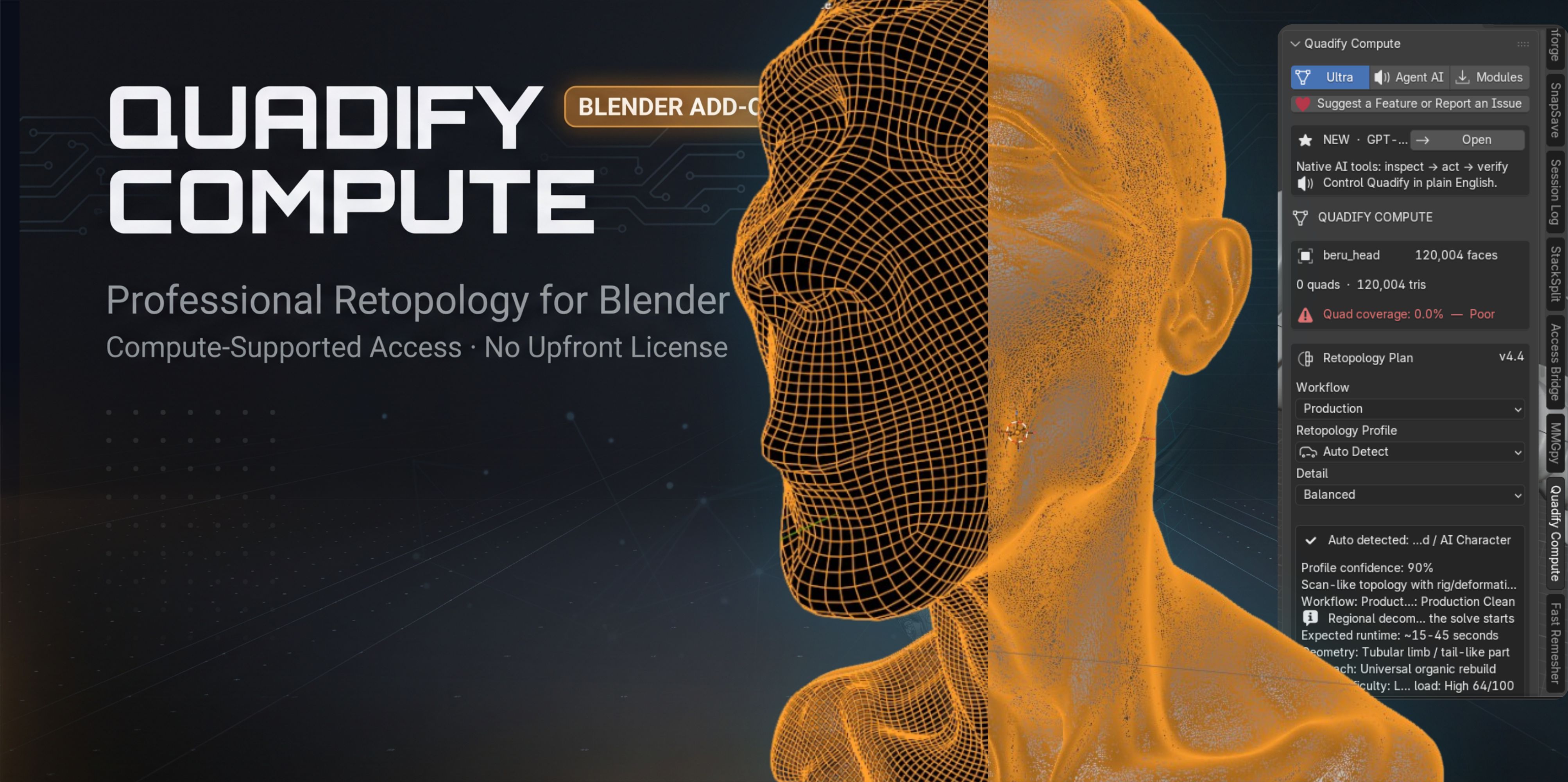
Quadify Compute is a free retopology option aimed at users who want a faster entry point into automated mesh cleanup. It is especially useful as a trial workflow: you can test automatic retopology on your own assets and decide whether the approach is appropriate before moving to more advanced production tooling.
The current Compute edition is funded through optional background compute after explicit user consent. In other words, free refers to the purchase price; users should review the product page's resource-use and consent details before enabling background compute.
Best for: occasional retopology, experimentation and creators who need a no-cost starting point and are comfortable with the disclosed opt-in compute model.
7. Blender's native asset and file organization tools
Do not overlook the production value of Blender features you already have. Asset Browser catalogs, collections, linked libraries, naming conventions and reusable startup files can remove a surprising amount of friction. A well-organized asset library often saves more time than another modeling add-on because it reduces searching, duplication and inconsistent setup.
Best for: teams or solo creators reusing materials, node groups, objects and scene templates.
Build a free stack around bottlenecks
A practical free stack might look like this:
- Use Voxel Remesh when the mesh itself is broken.
- Use QuadriFlow when you need a quad rebuild from a stable surface.
- Use Geometry Nodes for repeatable procedural operations.
- Use Python for rules, validation and batch tasks.
- Use MCP only when natural-language control genuinely improves the workflow.
- Use Quadify Compute when you want an easy automatic retopology path without paying first.
The mistake is installing dozens of tools before you know the bottleneck. Start with the work you repeat every week, then add the smallest tool that removes that repetition.
When should you pay for a Blender tool?
A paid tool makes sense when it saves enough repeated labor to justify its cost, when it adds reliability that the free workflow lacks, or when it combines several manual steps into one production-safe process. If a free built-in feature already solves the task well, keep using it.
For more specialized retopology options, see Best Blender Retopology Tools in 2026. For AI workflows, see Best Blender AI Tools in 2026.
Tools mentioned in this article
Product availability and pricing may change.
 Free
FreeBlender · Linux · macOS · Windows
Quadify Compute
Blender · Linux · macOS · Windows
Free automatic retopology option available on The Anvil Store.
Common questions
Can I build a professional Blender workflow using only free tools?
Yes. Blender includes powerful modeling, remeshing, procedural, scripting and asset-management systems. Paid tools are most useful when they remove repeated setup or add reliability and specialization.
Is Blender MCP built into Blender?
No. Blender Foundation states that Blender does not have built-in functionality for connecting to LLMs; the MCP workflow requires external components.
Are free tools always open source?
No. Free price and open-source licensing are different things. Check the license and distribution terms for each tool you use.